.png)
Change in Income Report
The Change In Income (Not SPM) Report is a Looker based report to incomes are accurately recorded for clients enrolled in programs. This report can be run by any agency for any time period. All programs and clients in housing programs under the agency will be included in the report.
When reviewing the report:
- Make sure all expected programs are showing in the report
- Review the list of clients needing an update
Instructions
Step 1: Click on the Launchpad icon and select the Reports icon.

Step 2: Click on the Data Analysis tab.

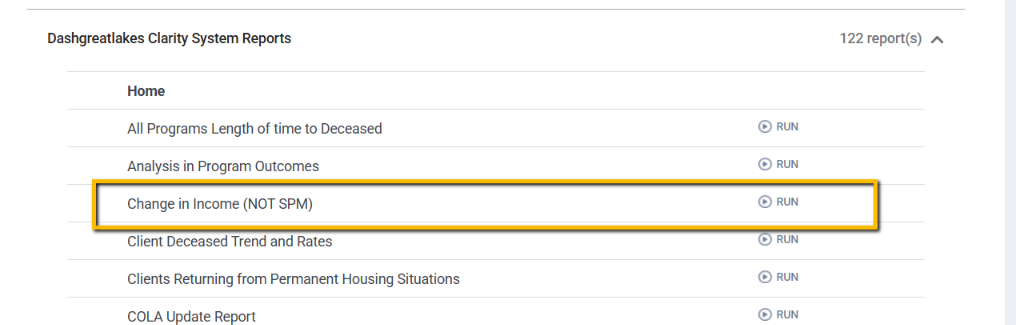
Next, click on Dashgreatlakes Clarity System Reports to expand the section. The report is under the Home heading and is titled Change In Income (Not SPM). Click "RUN."

Step 3: Select the prompts.
- Reporting Period Filter: Choose the start and end dates of the reporting period
- Name (Program Name) or Agency Name: Choose with your Program Name or your Agency Name from the list to pull programs into the report.

Tile 1: Review the clients clients with income increases, click on the number. You can click on any number in the report to get a complete list of clients listed in the listed count.

Tile 2: Review where the increases are noted in the client enrollment
- Most recent assessment with in the report period will be:
- The Enrollment Screen for clients who have not exited and do not have an annual assessment or status update
- The Status Update if that is the most recent update recorded in the client's enrollment
- The Annual Assessment if that is the most recent update recorded in the client's enrollment
- The Exit Screen if the client has exited the program during the reporting period

Copyright © Institute for Community Alliances, 2026. All Rights Reserved.