
[EMPL-101] Employment Report
Report Purpose and Summary
This is a program-based report that lists employment history for clients who are enrolled and/or exited from a housing program during a specified time period. This report pulls data only from the employment service placements within the related program. It does not reflect employment statuses in the client profile screen or program enrollment screens.
Instructions
Make sure you are operating in Clarity under the agency you are running the report for. You can check and change this under your name in the upper right corner.

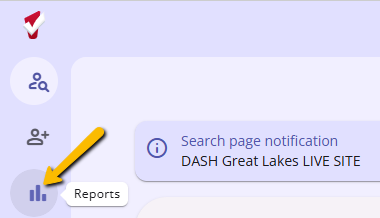
Step 1: On the left side of the screen, click on the Reports icon.
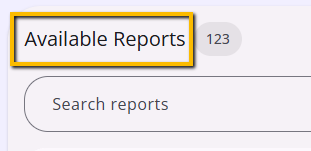
Step 2: In the Report Library, scroll down to Available Reports.
Step 3: In the search bar, type in EMPL-101 and the report will appear below.

Step 4: On the right side of the screen, click on the Run button.

Reporting Parameters
| Program(s) | Choose a program (click the plus icon to select multiple programs) |
| Full-Time/Part-Time Position | Select All, Full-Time or Part-Time |
| What to display | Show Name and SSN or Hide Name and SSN |
| Status | Select All, Active or Exited |
| Report Date Range | Choose Start Date and End Date of reporting period |
| Report Output Format | Choose Web Page, PDF, or Excel |
Step 5: Click Submit.

The file will be sent to the Report Queue. Once the report has processed, you will see the number one appear in the Report Queue in the upper right corner of the screen.

To open the report, click the Report Queue icon and then click Open.

Reporting Details
The report returns the following table structure, sorted by client.
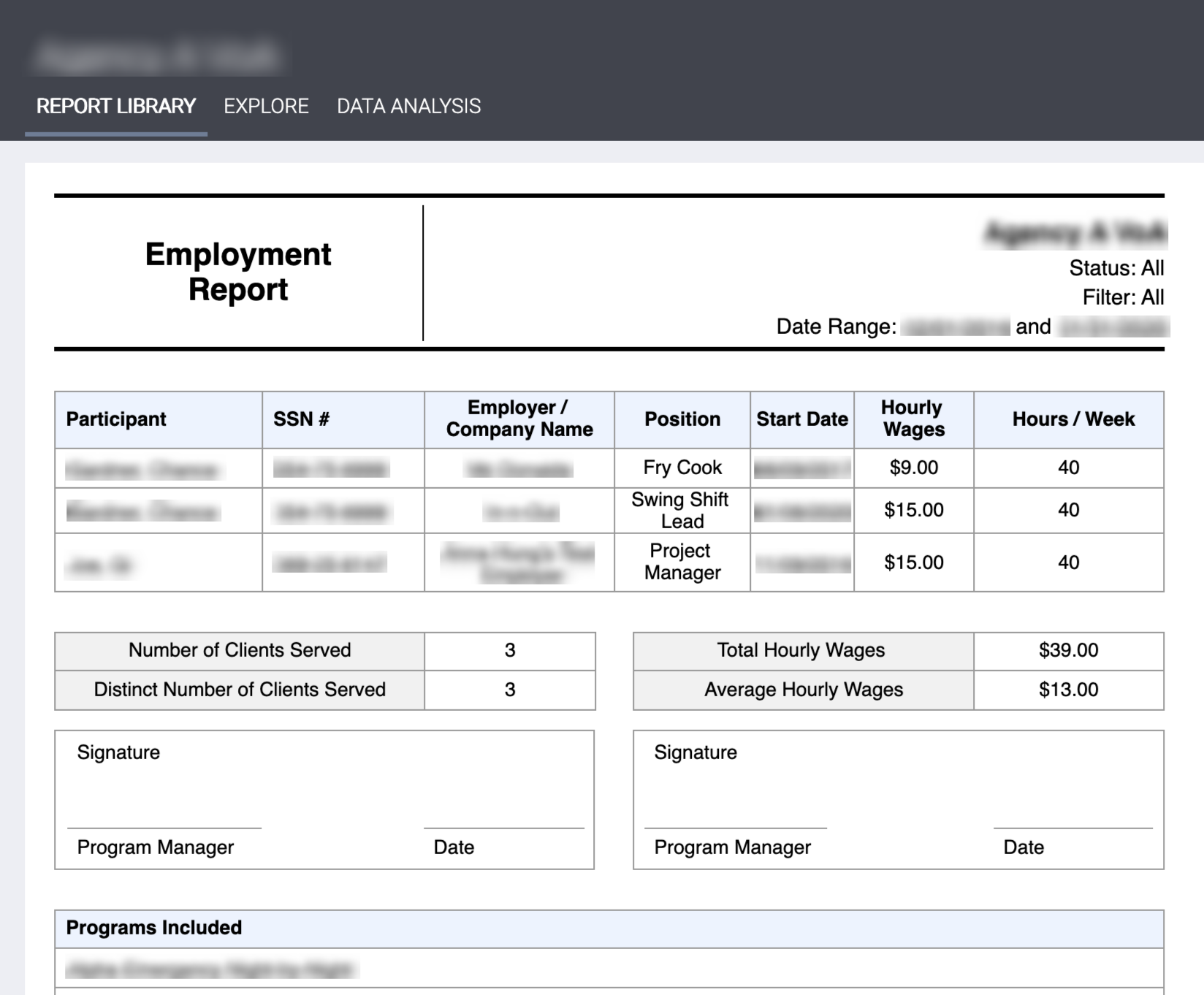
Elements from Client Profile Page
- Client Name
- SSN
- Unique Identifier
Elements from Employment Service
- Employer/Company Name
- Position
- Start Date
- Hourly Wages
- Hours/Week
They can be viewed from the history tab. Simply select the client record, go to the History tab, select the Edit link next to the employment placement service. Here you can view all the necessary details.
Totals
At the bottom of the report, you will see the following information:
- Number of Clients Served - Sum of the number of employment placement services, during the reporting period
- Distinct Number of Clients served - An unduplicated count of clients
- Total Hourly Wages - Sum of the Hourly wages for all employment placement services
- Average Hourly Wage - [Total Hourly Wages]/[Number of Clients Served]
In addition to reporting on employment placement services, there are two areas for signing off on the report and a list of included programs.
Copyright © Institute for Community Alliances, 2026. All Rights Reserved.