
[GNRL-230] Program Group Income
Report Purpose and Summary
The purpose of this report is to list the Heads of Households within the project selections and list their total household income.
Instructions
Make sure you are operating in Clarity under the agency you are running the report for. You can check and change this under your name in the upper right corner.

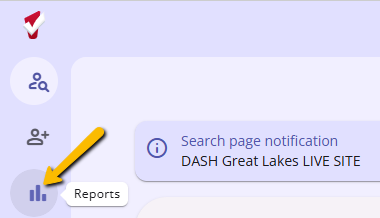
Step 1: On the left side of the screen, click on the Reports icon.
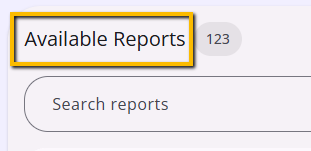
Step 2: In the Report Library, scroll down to Available Reports.
Step 3: In the search bar, type in GNRL-230 and the report will appear below.

Step 4: On the right side of the screen, click on the Run button.

Reporting Parameters
| Program | Choose which program to include |
| Income Data Source | Choose from which enrollment screen to pull the income data:
|
| Client Type | Choose whether the clients are:
|
| Report Date Range | Choose the date range of enrollments to include |
| Report Output Format | Choose Web Page, PDF, or Excel |
Step 5: Click Submit.

The file will be sent to the Report Queue. Once the report has processed, you will see the number one appear in the Report Queue in the upper right corner of the screen.

To open the report, click the Report Queue icon and then click Open.

Reporting Details
The report categories are Unique Identifier, Family / Individual and Amount. If it is a Family, then the Head of Household will show first and in bold type with the additional household members underneath for a total monthly household income amount.
 Drilldown Functionality
 is available by clicking on any of the Client Names in the "Family / Individual" column. A Client Profile will populate with the following information:

Copyright © Institute for Community Alliances, 2026. All Rights Reserved.