.png)
BoS Coordinated Entry for Brown County Legal Services
Background
Legal Action of Wisconsin operates an EHH-funded Homeless Prevention Program based out of Brown county that provides civil legal services. Households must be referred through the Balance of State's Coordinated Entry system to access Legal Action's program, and Legal Action must follow the Balance of State's order of priority for Homeless Prevention programs when determining which households they will serve. Because Legal Action specifically provides legal services through is Homeless Prevention Program, a separate referral process is needed for the Coordinated Entry system to identify households seeking legal services for homelessness prevention.
Referral Requirements
There are 4 requirements for referring a household to Legal Action's Homeless Prevention Program through the Coordinated Entry System:
- The household's consent to participate in Coordinated Entry in HMIS
- A completed WI Balance of State Coordinated Entry Prescreen Form
- A completed WI Balance of State Coordinated Entry Client Rights & Responsibilities Form
- A completed WI Balance of State Prevention Screen, plus a response of "Yes" to the following question:
- "Do you or anyone in your household have any past or current civil legal issues that may affect or limit your ability to obtain or maintain housing (examples: rental arrears, eviction, unemployment benefits, SNAP, SSI/DI, need a driver's license, etc.)?"
Related Training
Referring a Household to Legal Action's Homeless Prevention Program
Brown County Legal Services Coordinated Entry Process by Stephanie Van Hulst
Training Date: March 6, 2025
Duration: Approximately 19 minutes
Additional Information
How to Generate the Balance of State CE Prevention Prioritization List for Legal Action's Homeless Prevention Program
*Users must have a Looker license to generate this report.
- Make sure you are switched into the Balance of State CoC Agency.

- Click on the Launchpad icon and select the Reports icon.

- Click on the Data Analysis tab.
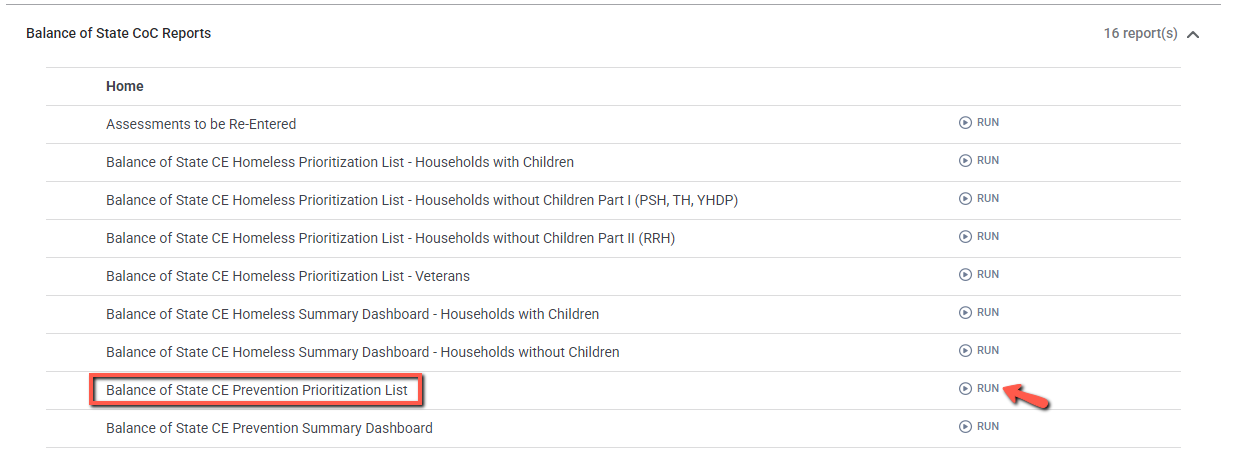
- Expand the Balance of State CoC folder. Locate the Balance of State CE Prevention Prioritization List report and click "Run".
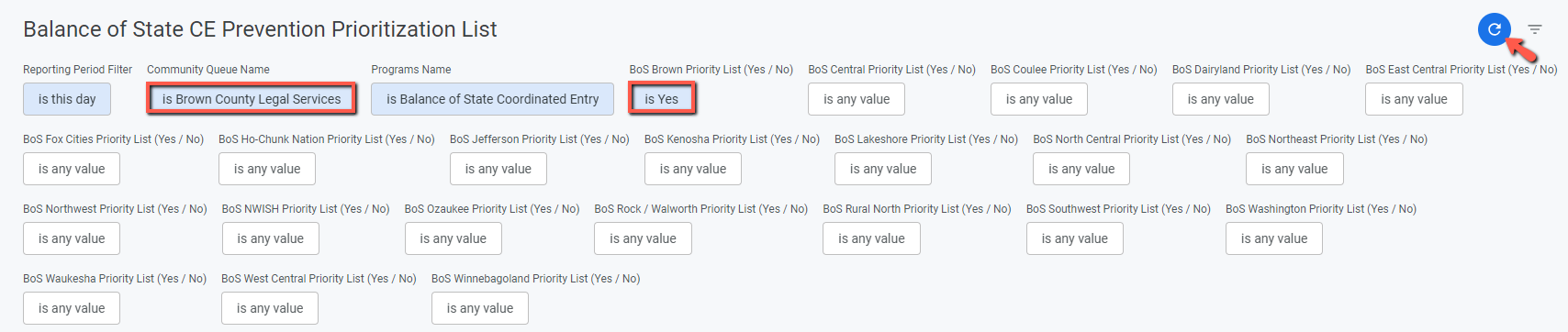
- Fill out the report prompts.
- Change the Community Queue Name prompt from "BoS Prevention" to "Brown County Legal Services".
- Change the BoS Brown Priority List prompt to "Yes".
- Click the refresh button to generate the report.
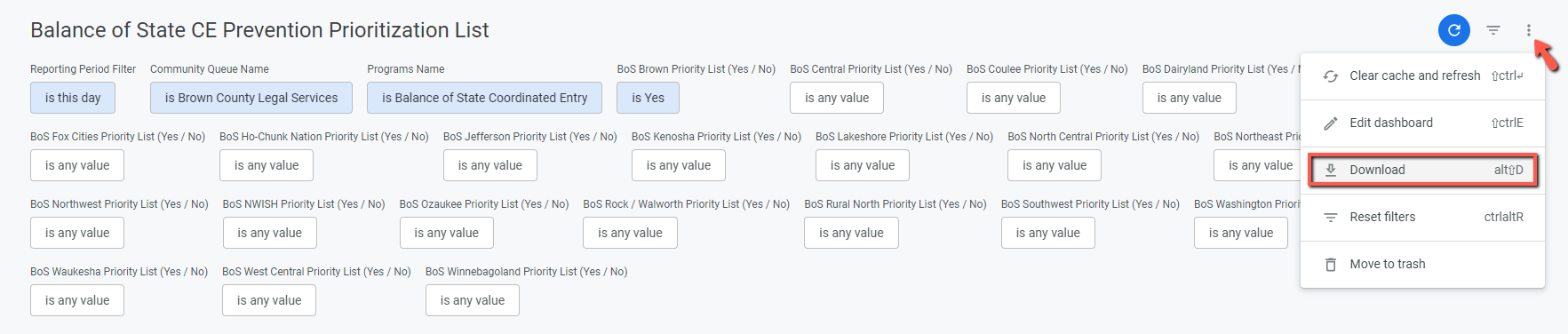
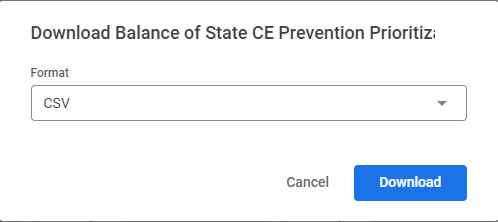
- Once the report has finished running, you can download it by clicking the three dots in the upper right corner of the screen and clicking "Download". You may download the report in either CSV or PDF format.
Copyright © Institute for Community Alliances, 2026. All Rights Reserved.


